Testing workflows within the CRM is a critical step in the workflow creation process. It allows users to preview and evaluate how their workflows will run in a live environment without actually sending them out to their entire contact list. This section will explore the importance of testing and the basic method for conducting a test.
Detailed Explanation
When you create a workflow, especially one that includes personalized elements like usernames or appointment dates, it’s essential to see how these elements will appear to your contacts. However, simply using the ‘Send Test’ feature might not always give you an accurate representation. This is because the test feature often does not populate personalized data, such as usernames or appointment times, since it does not pull this information from a specific contact record.
Conducting a True Live Test
Overview
To conduct a more accurate test that reflects how your workflow will operate in a live environment, you need to insert yourself as a contact into the workflow. This section will guide you through creating a test contact and adding it to a workflow for testing purposes.
Step-by-Step Guide
Create a Test Contact:
- Navigate to the ‘Contacts’ section of the CRM.
- Create a new contact entry for yourself, including any relevant details that your workflow will utilize (e.g., name, phone number).
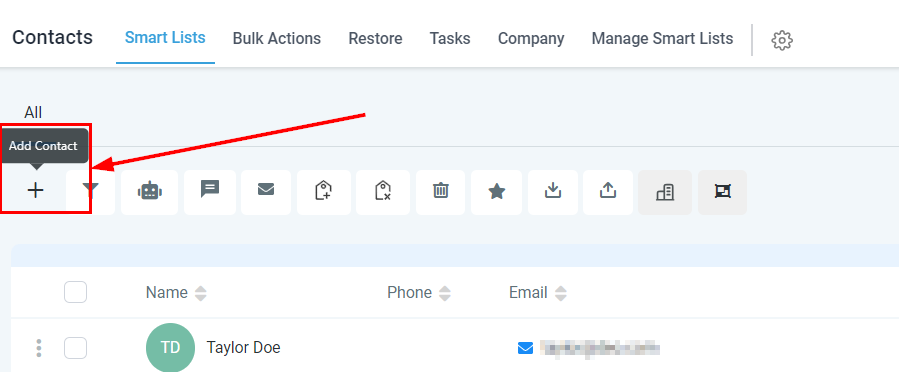
Add Your Test Contact to a workflow:
- Scroll to the ‘Active workflows’ section within your test contact’s profile.
- Click ‘Add’ and select the workflow you wish to test from the dropdown menu.
- You can either start the workflow immediately by leaving the start time blank or schedule it for a later time by selecting a specific start time.
- Click ‘Add’ to officially enroll your test contact into the workflow.
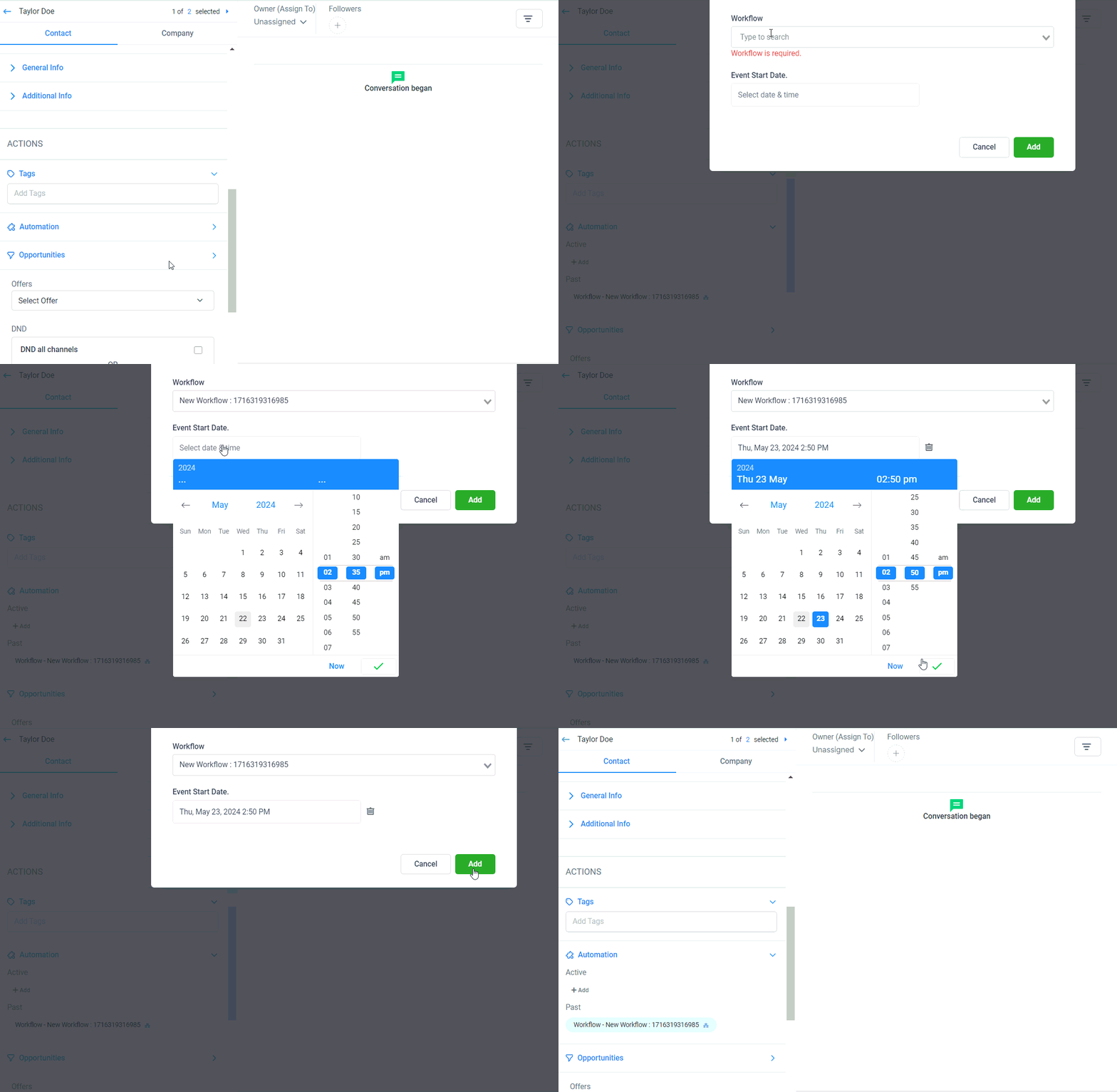
Evaluate the workflow:
- As your test contact, you will now receive all communications and go through the workflow as any other contact would.
- This allows you to see firsthand how personalized data is populated and whether all triggers and actions within the workflow function as intended.
Troubleshooting and FAQs
Common Challenges
- Personalized Data Not Populating: Ensure that the test contact has all necessary information filled out in their profile.
- workflow Not Activating: Verify that the workflow is active. If it’s not, you will be prompted to activate it before testing.
Frequently Asked Questions
Q: Can I test a workflow without creating a test contact?
- A: While you can use the ‘Send Test’ feature, creating a test contact provides a more accurate representation of the live workflow experience.
Q: How do I know if my workflow triggers are working?
- A: By following the live test process outlined above, you can observe firsthand whether triggers and actions within your workflow execute as expected.