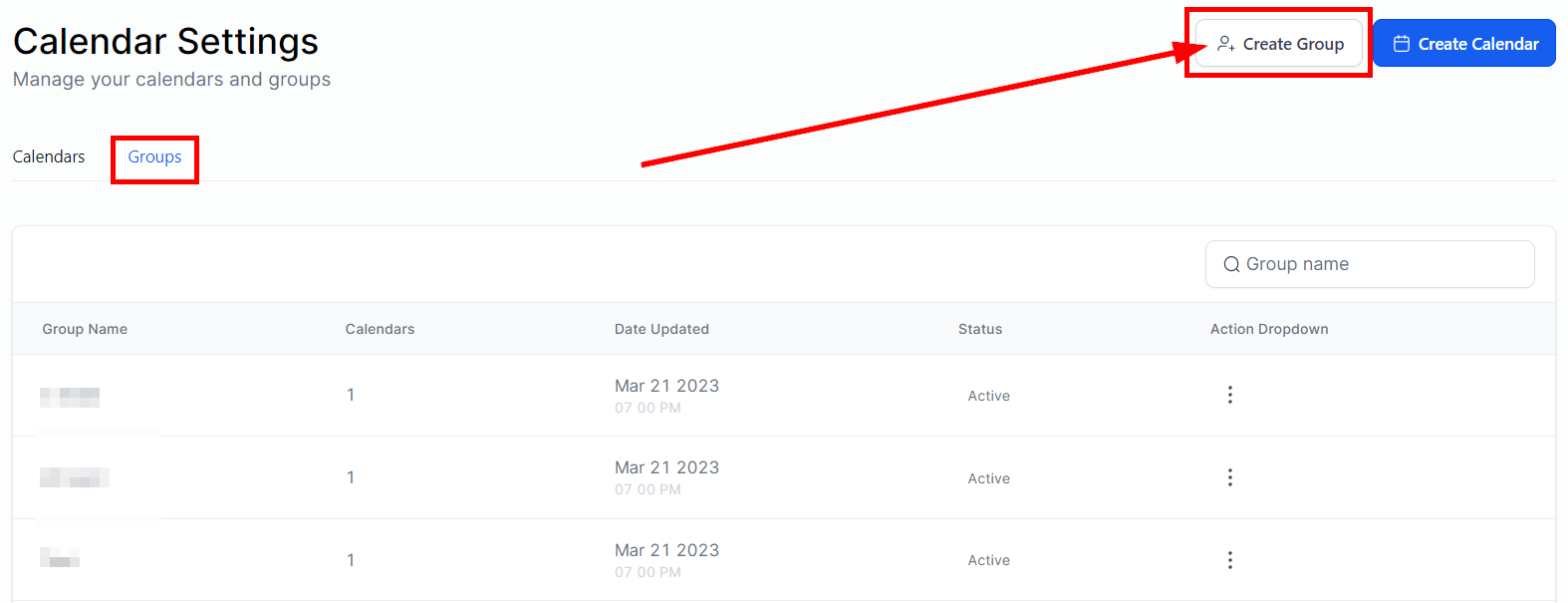
In the Calendars” section in Settings, Click on the “+ Add Group” button.
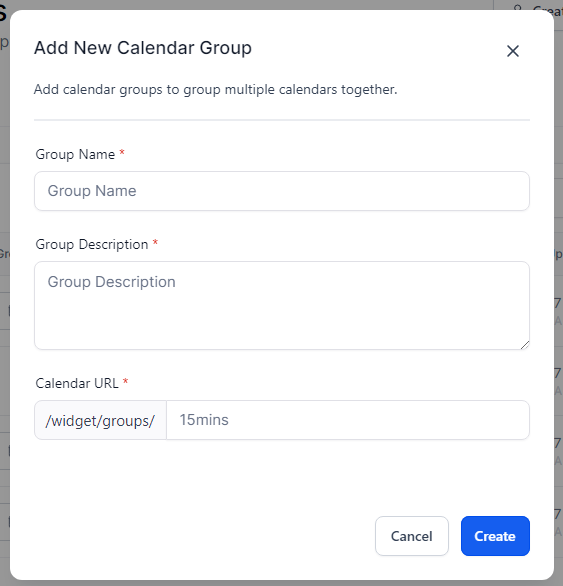
When you are creating a new calendar group, it is required to fill in the following information:
- Group Name
- Description
- URL Slug
Once you are done filling out the info, click on the “Create button” to move to the next step.